-
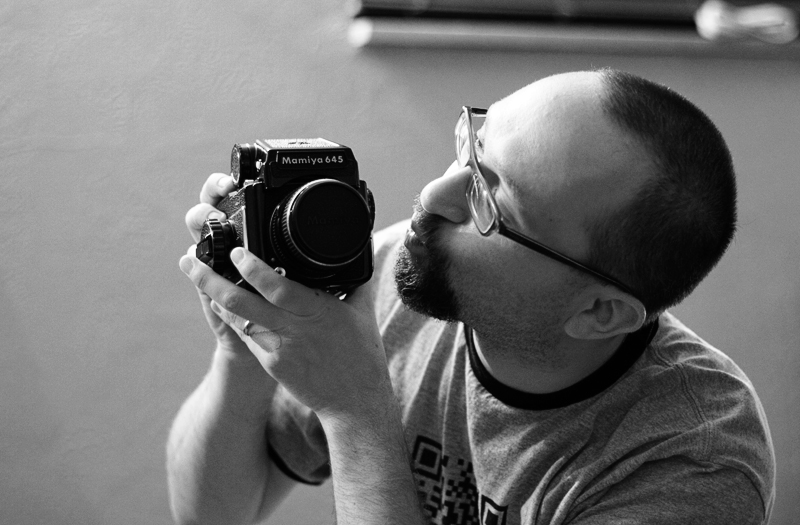
I’ve been obsessed with photography since I was 8 years old. My mom gave me a Smena 8 – an old Soviet-made rangefinder and I was hooked right away. While my friends played outside I spent hours (and sometimes days) in my darkroom. There is something magical and relaxing about developing film and printing your own photos. When I started photographing weddings on my own in 2000 I went for the Cadillac of cameras – Hasselblad. I borrowed money from everyone I knew and bought two used ‘Blads – a 500CM and an EL/M. In 2005 I got swept up by the digital craze and traded both of my Hasselblads for Canon gear. I never quite got over the loss of those beautiful medium-format hunks of metal. Don’t get me wrong – I love digital photography and I am not trying to start yet another film vs. digital debate. I simply miss film. In the past couple of years I’ve been shooting a lot of 35mm black and white film for my personal projects (and developing it myself in my basement). However, there is nothing that compares to the beauty of a larger negative. I kept telling myself that buying a medium- or a large-format camera would be a complete waste of money, that film is expensive, that if I start doing more serious work using film I’d have to buy a negative/slide scanner. All those were good reason not to buy yet another film camera. I decided to go with my heart. I really could not justify a Hasselblad, so I settled for a time-proven workhorse that is Mamiya 645. I already have some projects in mind, so hopefully I’ll be able to post new photos pretty soon.
-
 Today I found a couple of large format film holders while cleaning my basement. I wonder how many photographers of my generation (for the record, I`m 34) have ever used a large format camera?
 -
Today was my turn to teach a photography workshop at the Carnegie Library of Pittsburgh. Jen McKen, Leeane Marie and John Craig taught all the previous workshops, so I had some pretty tough acts to follow. The workshop went really well (at least I thought so). Everyone seemed to be interested and what was really amazing is that people asked me a ton of questions. I really want to thank Bonny McCloskey from the Carnegie Library for helping to organize this workshop series, Travis Neely for allowing me to use some of his photographs and Jen McKen for proofreading my presentation. As promised, here are all the slides from the presentation: (function() { var scribd = document.createElement(“script”); scribd.type = “text/javascript”; scribd.async = true; scribd.src = “http://www.scribd.com/javascripts/embed_code/inject.js”; var s = document.getElementsByTagName(“script”)[0]; s.parentNode.insertBefore(scribd, s); })(); Also, here are some links to gear and software that I discussed during the workshop:
- Canon EOS Utility for tethered shooting
- Breeze Systems DSLR Remote Pro – for tethered shooting, supposedly they have versions for Canon and Nikon
- Long USB cable for tethering from TigerDirect.
- Eye-fi – SD card with built-in wi-fi – great for wireless image transfer
- Pro lab for film processing
- Camera Bags
- Strobist Website – great resource for learning off-camera lighting
- AlienBees – studio flashes and wireless radio triggers
- PocketWizards – wireless radio triggers for flashes, studio lights and cameras
If I missed anything, please feel free to shoot me an email and ask. Don`t forget Val`s Intro to Adobe Photoshop class on April 10th and Advanced Photoshop + Lightroom on April 17th.
-
Captions provided by my sister Olga…



Trying to get John on the phone. He`s my stock investment guy. You wouldn`t understand. Oh got him! John, you`re fired! -
Holy crap! My baby sister is engaged. She`s getting married in South Carolina next March; I just snapped a few shots of her and her fiancee Roger when they came to Pittsburgh for the SuperBowl weekend.

-
Quite a few of my clients have asked me how I put together their wedding slideshows, how to combine video and still images and video clips from different cameras. For production work I use Adobe Premiere, but for quick and dirty stuff I use iMovie. This tutorial will give you a crash-course introduction to combining video and still images in iMovie. If you want to learn more about iMovie, iMovie `11 & iDVD: The Missing Manual is an excellent book that will pretty much teach you everything you ever wanted to know about iMovie. Have fun.
-
In about a month I am teaching a photography workshop at the Carnegie Library; the subject of my workshop is flash photography. If you are interested in flash photography, this video is definitely worth watching. I thought I knew a lot about flash, shutter synchronization and all the other fun stuff that goes with flash photography. This video really took me to school.
-
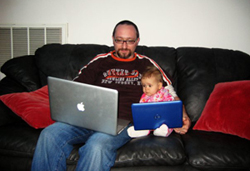 Sometimes having two jobs sucks. However, more often then not, being a software engineer and a photographer is actually a pretty decent combination. Being a photographer helps me step back from the code and think about problems creatively. Being a software engineer helps me gain a very technical perspective on photography (yes, I am a geek and I actually know how CMOS and CCD sensors record image data). Another advantage of being a software engineer is that I can write software that helps me run my photography business. Over the years, I’ve written scripts, applications and even Photoshop plug-ins that managed my backups, batch-processed image files and geo-tagged vacation photos. My ability to write my own software saved me countless hours of dealing with repetative and boring tasks and allowed me to concentrate on things that I actually enjoy doing. Recently I found myself using Lightbox2 photo gallery more and more, both on my blog and on some of my clients’ websites. Lightbox2 is a JavaScript library that can be included on any web page; it allows you to create attractive image galleries with minimal knowledge of HTML. Quite a few of well-known websites use Lightbox2 or similar solutions to display image galleries – Wired.com, Lifehacker, Lensbaby and many others. If you have to deal with a small number of images, it’s pretty easy to follow examples from Lightbox’s website and hand-code your gallery. If you have a blog or a website that’s based on the WordPress platform, you can install LightBox2 as a WordPress plug-in and WordPress will pretty much take care of everything for you. However, if you have a custom blog like I do, than you can use one of the handy scripts that I wrote to simplify my life. Below, you’ll find two scripts – one is written in ASP.NET, another one in PHP. They do the same thing – if your website is running on a Microsoft Windows Server, use the ASP.NET script. For Linux servers, use PHP. Simply download and extract the files below (the ASP.NET script has two files) and upload them to your web server. Once the files have been uploaded, you can access them through the browser by typing http://%5Byour website address]/LightboxGenerator.aspx for ASP.NET script or http://%5Byour website address]/LightboxGenerator.php for PHP script.

