 A few days ago I wrote about my idea for an application that would report Adobe Lightroom statistics. I asked all of my photographer friends to tell me what statistics would be useful to them and I got a few really good pointers. Last night I could not sleep so I spent a few hours and hacked together the first version of my app. I wrote it for Adobe Air so that it would run on any platform. Chances are that you already have Adobe Air installed on your computer, but in case if you don`t, you would need to download and install it before installing my application (Lightroom Reporter). You can download Adobe Reporter here. Right now this first version only displays some basic camera and lens usage statistics. I already started working on additional features such as getting statistics on editing habits – how often do you adjust exposure, crop, etc… If you can think of any other statistics that would be useful, please drop me a note – I`m making this software available for free, so making it better would benefit (hopefully) everyone.
Hacking Lightroom or Why Everyone Should Know How to Program
I firmly believe that everyone should have basic programming skills. Whether you are a photographer, a mechanic or a doctor, pretty much every system in today’s world is ran by software; understanding how that software works will lead to better understanding of tools that you use to do your job and will make you a better professional. A little while ago Wired magazine ran an article about a Facebook software engineer who taught his 8-year-old daughter to program – he even wrote a book (cleverly titled Lauren Ipsum) to explain programming concepts to young children. Let me make my case as to why photographers need to have basic understanding of coding and databases. A few days ago my friend Jenny Karlsson sent me a link to an Adobe Lightroom plug-in that would tell you what focal lengths you use the most in your photographs. Such information is really useful if you are trying to decide what lens to purchase next. After talking to Jenny I decided to investigate this question further – I wanted more information than just focal lengths. I wanted to see what lenses I used most often; I wanted to see in how many of my photos I used fill flash (I’ve been told that I’m too obsessed with artificial lighting). There are plenty of plug-ins and stand-along programs out there that would pull that information for you. The caveat is that good apps cost money and crappy apps are just that – crappy apps. I did a quick Google search on “Developing Adobe Lightroom 4 plugins” and one of the first hits took me to a document describing Adobe Ligthroom 4 SDK (software development kit). After skimming through the documentation for a few minutes, I learned that Adobe Lightroom stores its data in an SQLite database – a standard approach to local data storage for most desktop and mobile applications. There are several free applications that allow you to look at SQLite data. The ones that I use the most are SQLite Manager plugin for Mozilla Firefox browser and Run!. SQLite Manager requires that you have Firefox installed on your computer and Run! requires Adobe Air. All the examples in this post use SQLite Manager, but Run! has a very similar user interface. Download and install Firefox and SQLite Manager plugin. If you are using Microsoft Windows, start SQLite plugin by clicking the orange “Firefox” tab in the left top corner of your browser window, then selecting “Web Developer” and “SQLite Manager”. On a Mac, go to Firefox → Tools → SQLite Manager. 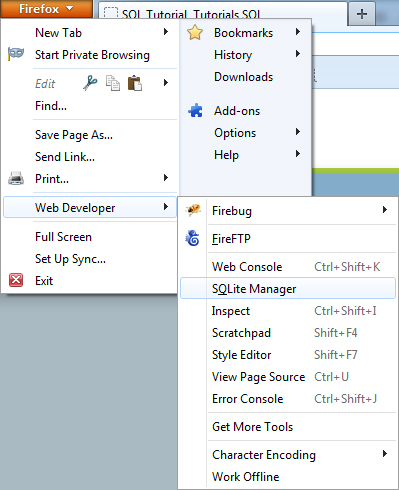 When SQLite manager launches, click the “Open” icon at the top menu bar.
 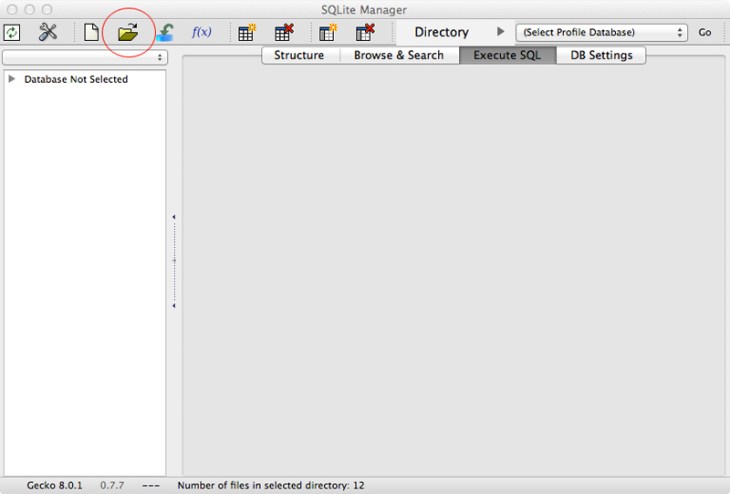 Browse to the location of your Adobe Lightroom catalog (a file with “.lrcat” extension). Make sure to select “All Files” in format choices.
 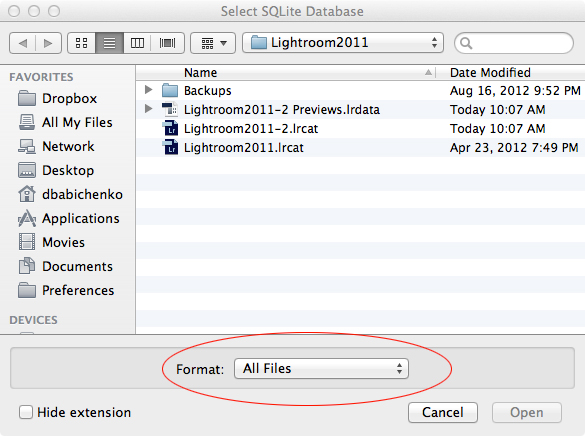 Double-click on Lightroom catalog that you’d like to load.
 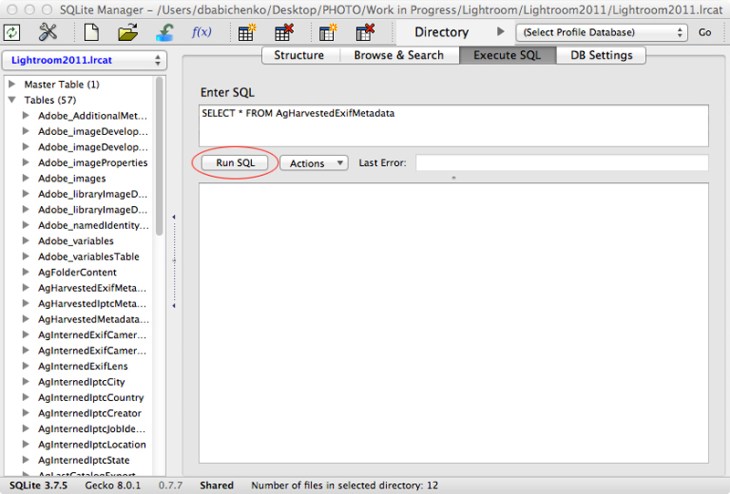 Once Lightroom catalog loads, click on “Execute SQL” tab. On the left-hand side of window you’ll see a list of tables that contain all of Lightroom’s data. On the right you will see a text field where you can type in your queries. Database queries are written in SQL (Structured Query Language) – it’s fairly standardized across all database vendors, so you only have to learn it once. Copy and paste the following query into the text field and click “Run SQL”. SELECT focalLength, COUNT(focalLength) FROM AgHarvestedExifMetadata GROUP BY focalLength ORDER BY COUNT(focalLength) DESC You’ll see a list of all lens focal lengths that you’ve used in your photographs.
 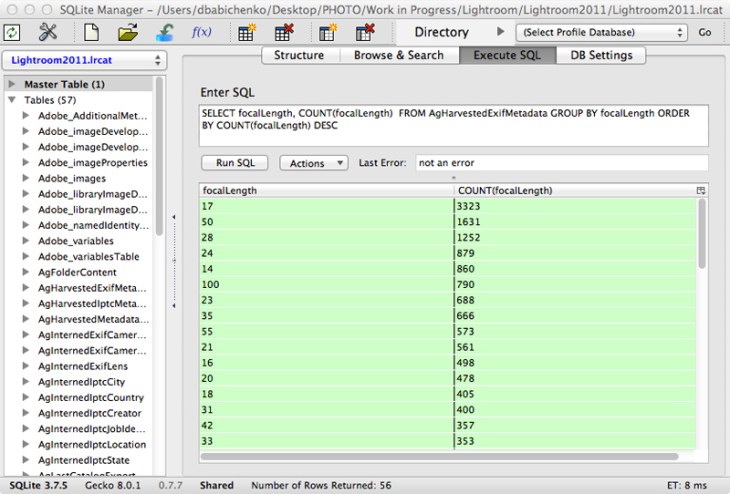 Now type in SELECT b.value, COUNT(b.value) FROM AgHarvestedExifMetadata a JOIN AgInternedExifLens b ON a.lensRef = b.id_local GROUP BY b.value ORDER BY COUNT(b.value) DESC and click “Run SQL” Now you should see a list of all lenses used to take your photographs and you’ll be able to easily tell which lenses you use most often. When I have a bit of downtime this winter, I would like to write a cross-platform application that will pull statistics from Adobe Lightroom and Apple Aperture. I am planning on releasing this app under Creative Commons license, which means it will be free to use and modify. If you are a photographer and would be interested in being able to compile statistics from Lightroom or Aperture, shoot me an email or post on my Facebook page and let me know what statistics would be most useful to you. If you are interested in learning more about databases, check out http://www.sqlcourse.com/index.html and http://beginner-sql-tutorial.com/sql.htm for SQL tutorials. If you want to learn a programming language, Python is a very useful language to know. It has reasonably low learning curve if you are trying to do simple things and it has many built-in libraries for dealing with text and image files. If you actually want to know the engineering details of how digital cameras work, I highly recommend the following books:
Jenn`s and Stephen`s Wedding – Sneak Preview
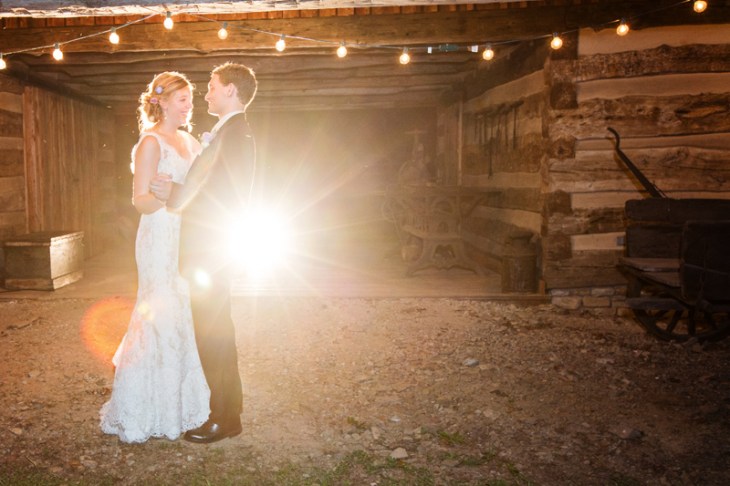
Rachel`s and Jason`s Wedding
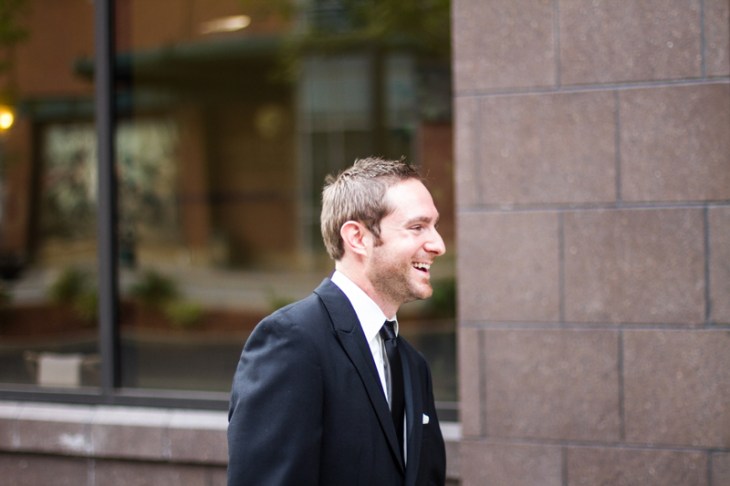
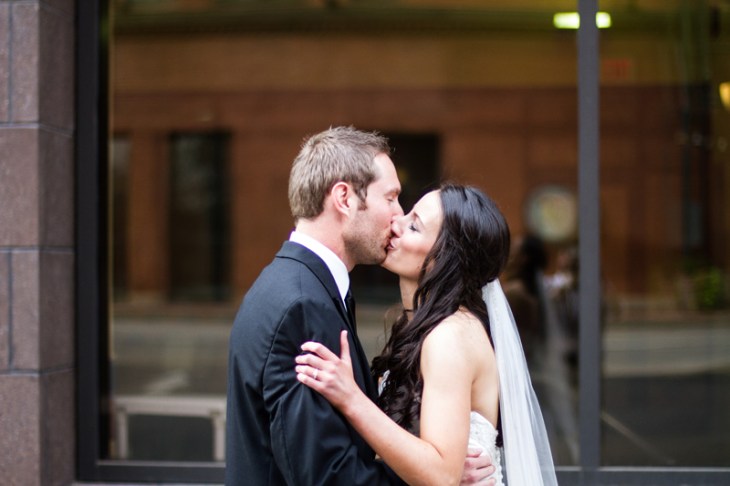
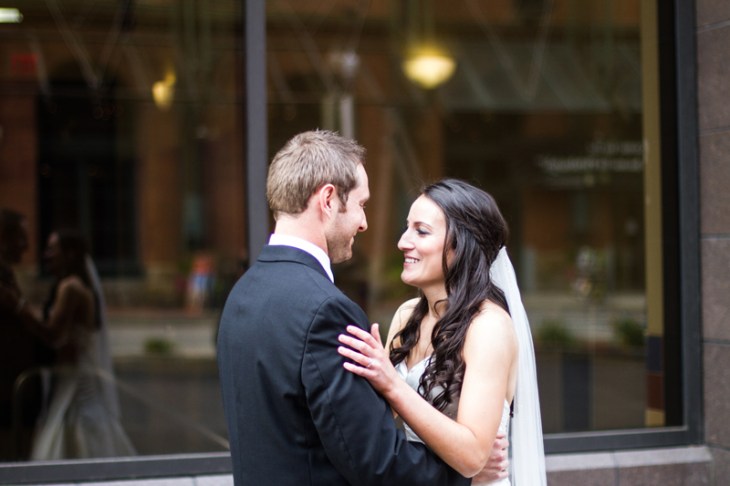
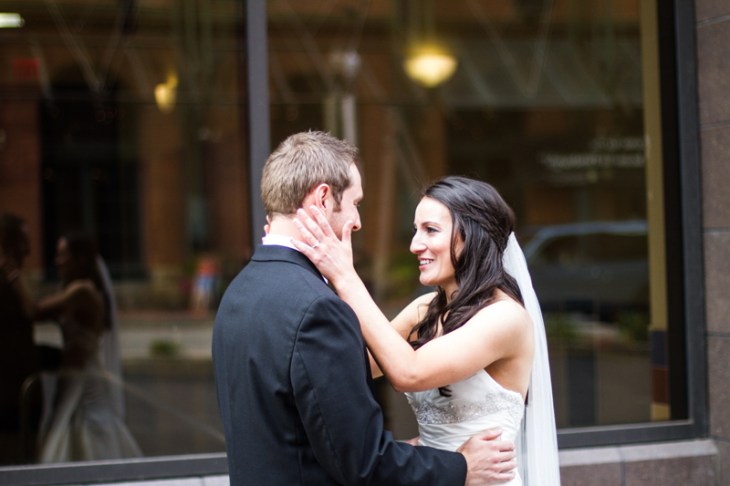
A few weeks ago Katia Forero and I photographed Rachel`s and Jason`s wedding at the Heinz History Center in Pittsburgh. This was one of the most unusual weddings I had to photograph. Most wedding photoshoots begin with the bride getting ready, hanging out with bridesmades, getting their hair and makeup done. Rachel and Jason decided to start their wedding with a 5K run on the River trail on the North Side. And the most amazing thing is that about 60 people from the wedding (including the entire bridal party) ran or walked with them. The wedding itself was beautiful and elegant and Katia and I had a blast working with both the bride`s and the groom`s family. All the bridal “getting ready” photographs and the beautiful shots inside the Pittsburgh bus below were taken by Katia – I could not have captured this amazing day without her help. 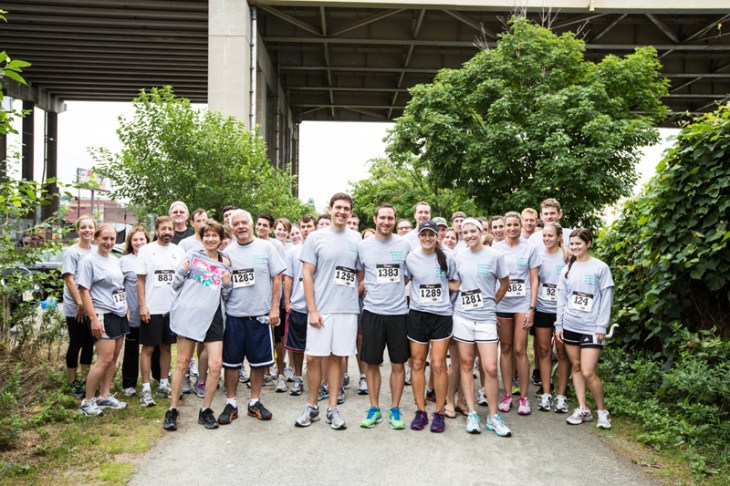

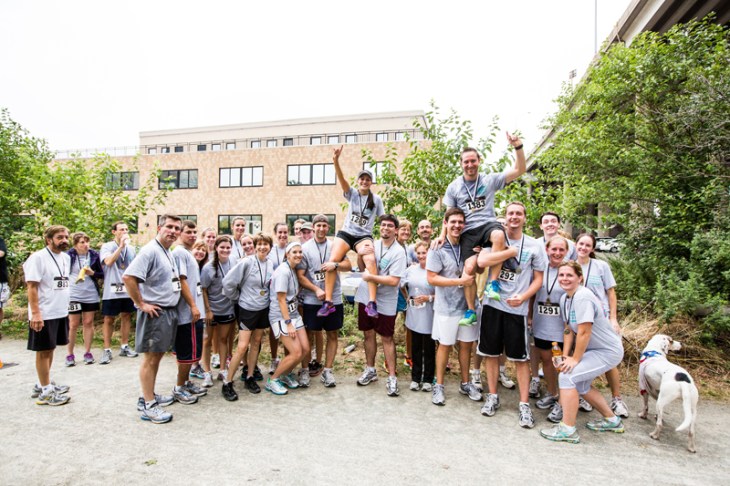


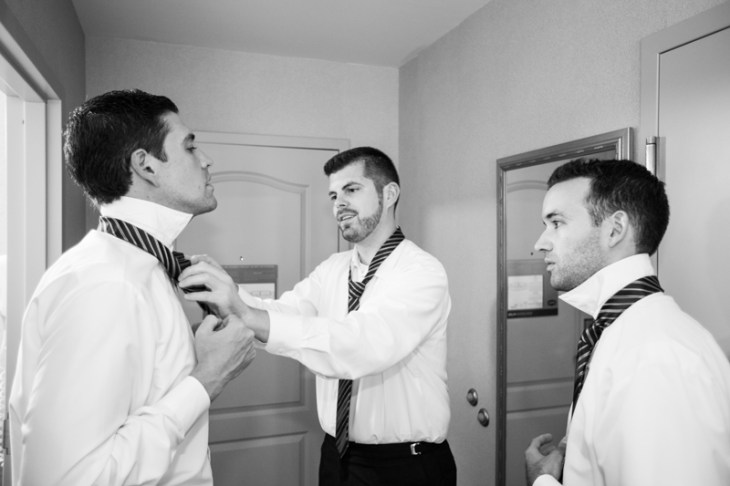

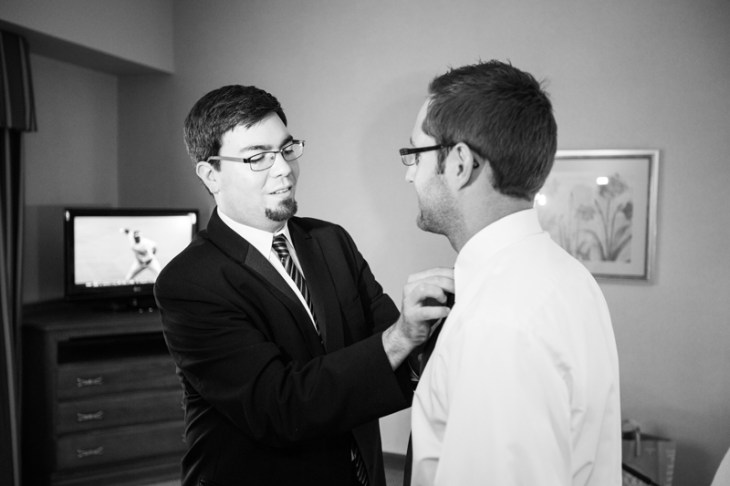
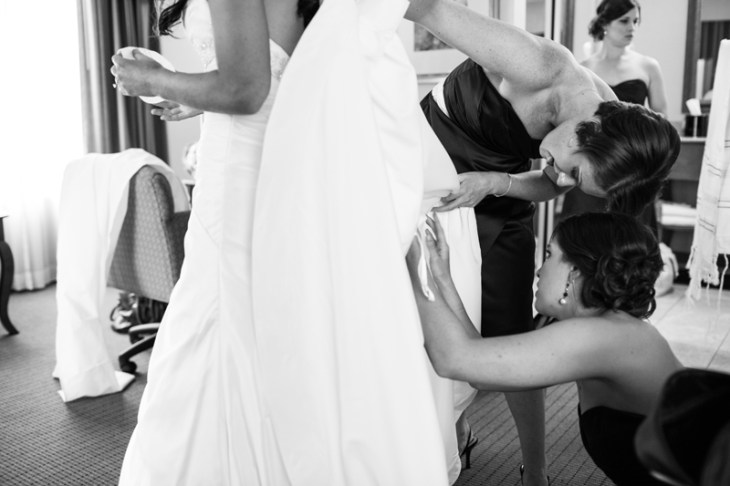

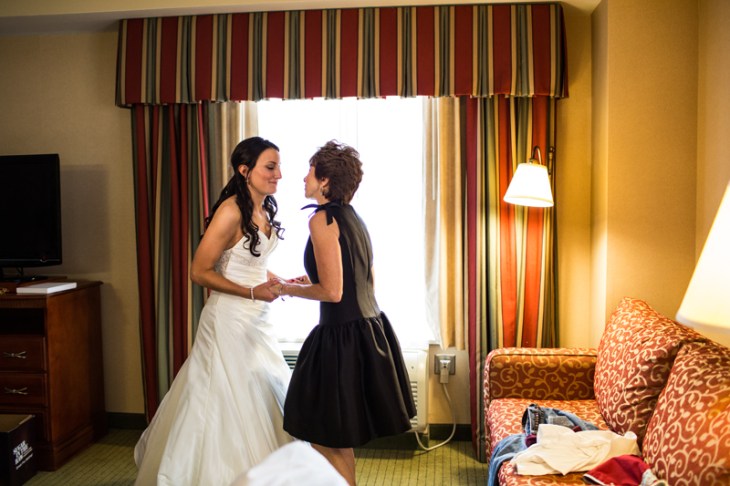


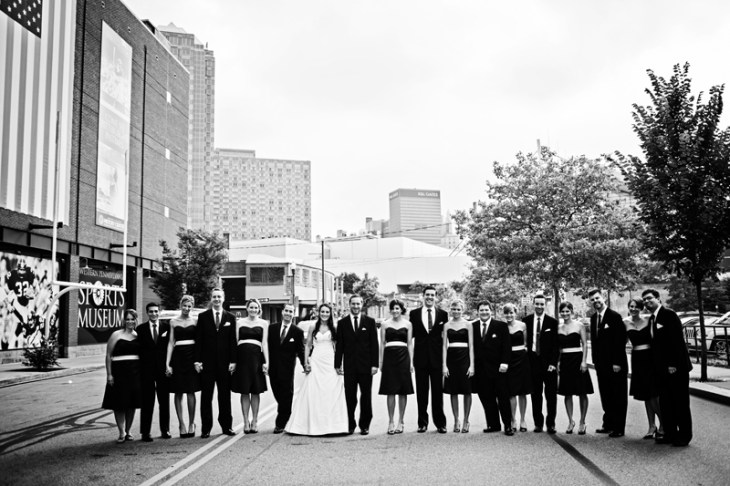

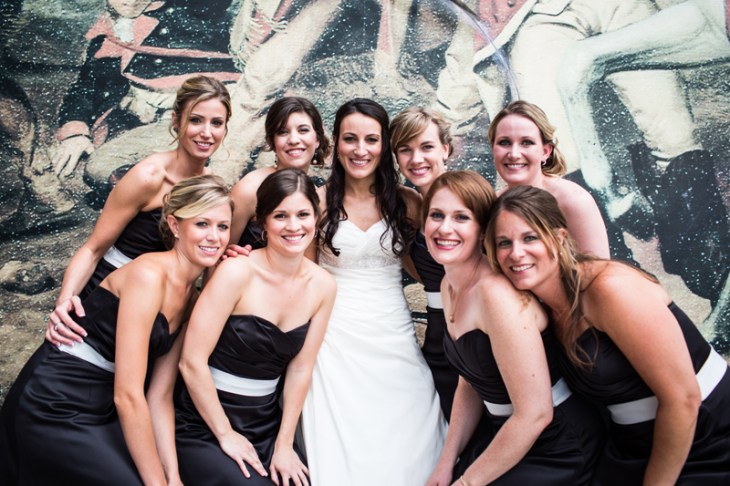





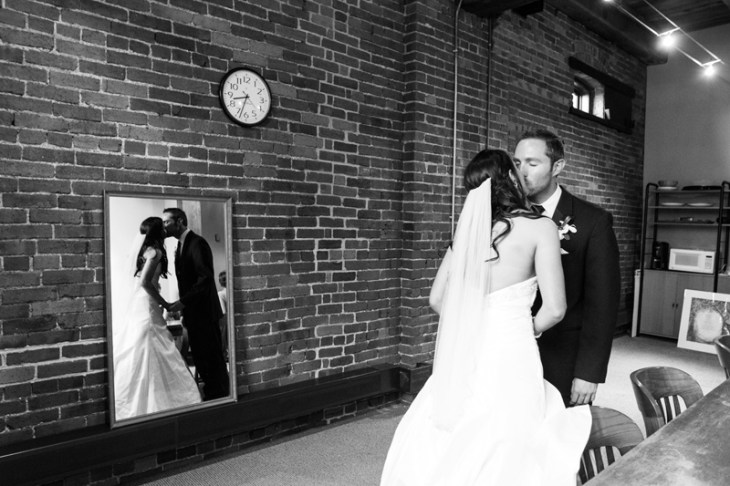





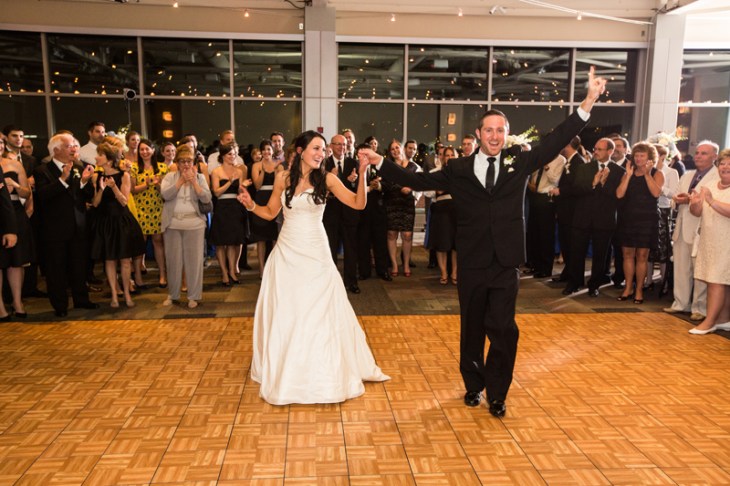

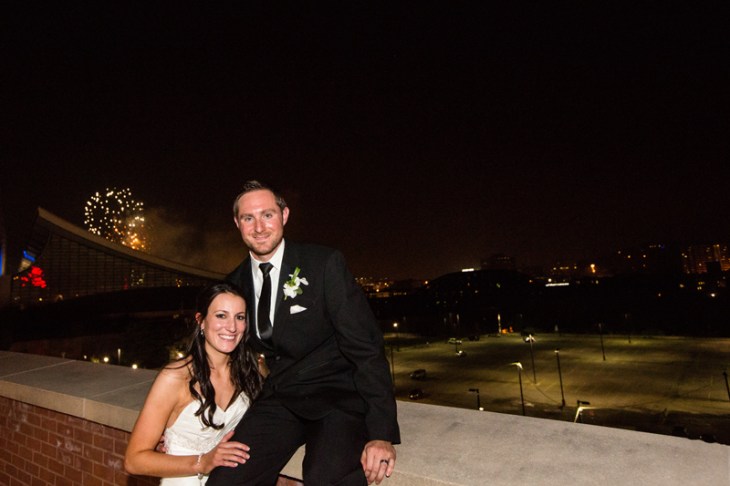
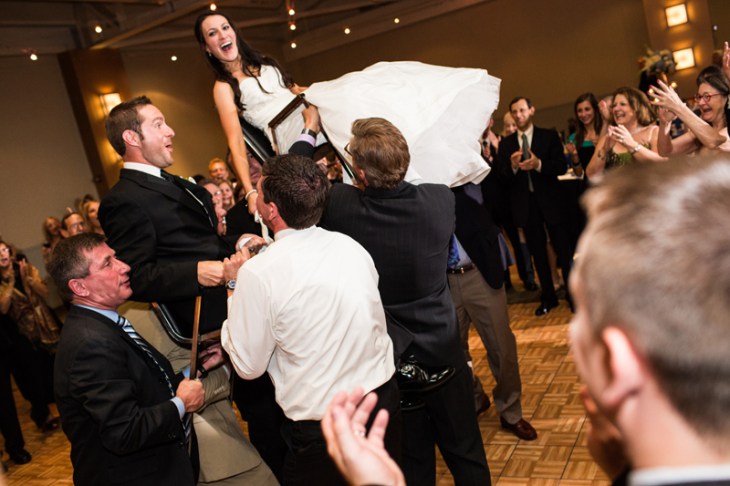

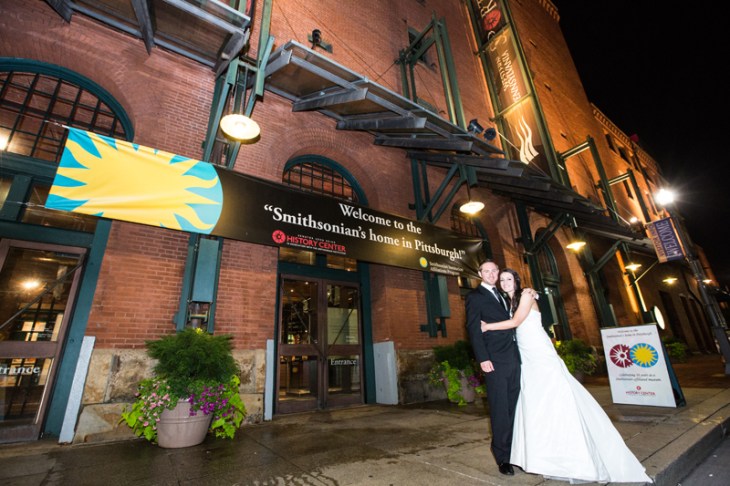
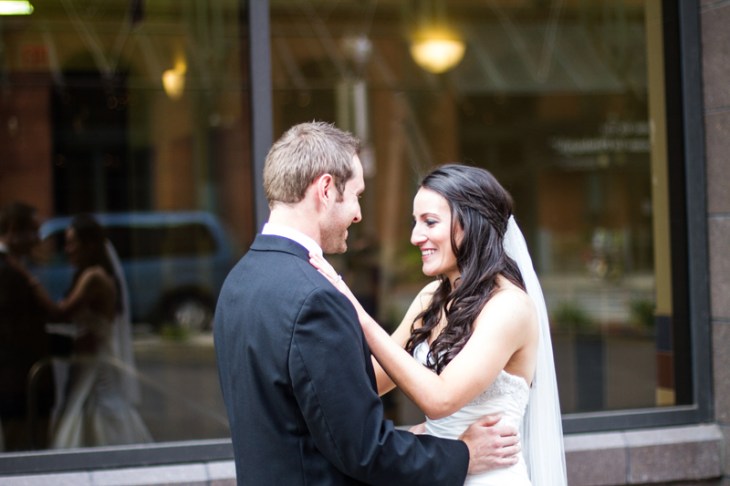
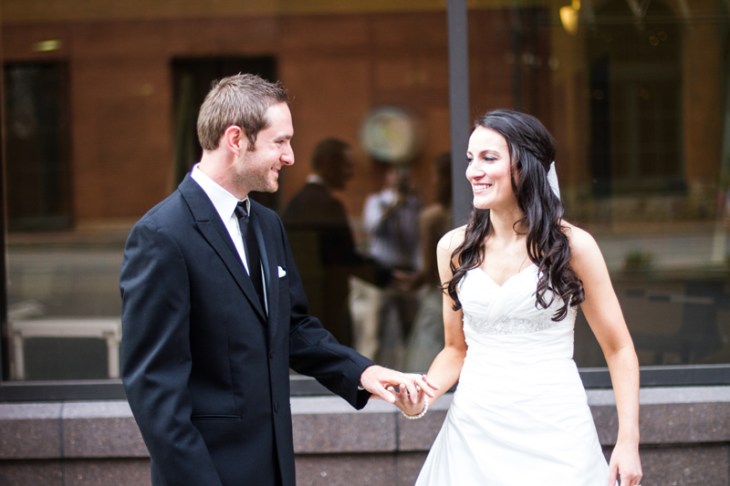
Rachel`s and Jason`s Wedding: First Look
This is by far my favorite “first look” sequence I`ve ever shot to date! 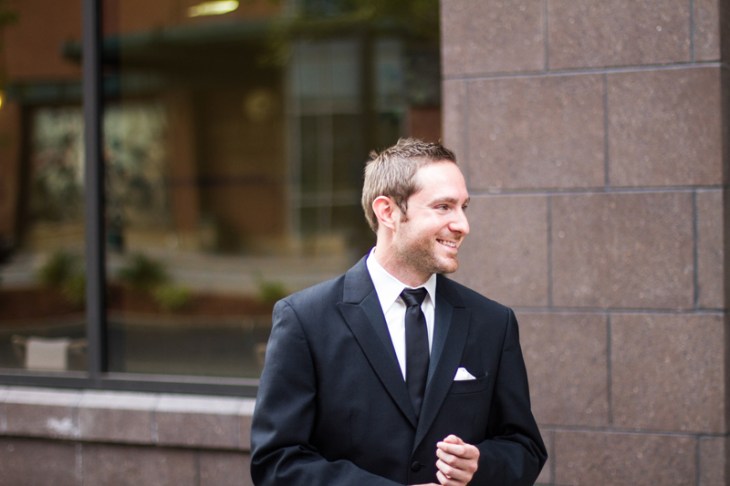



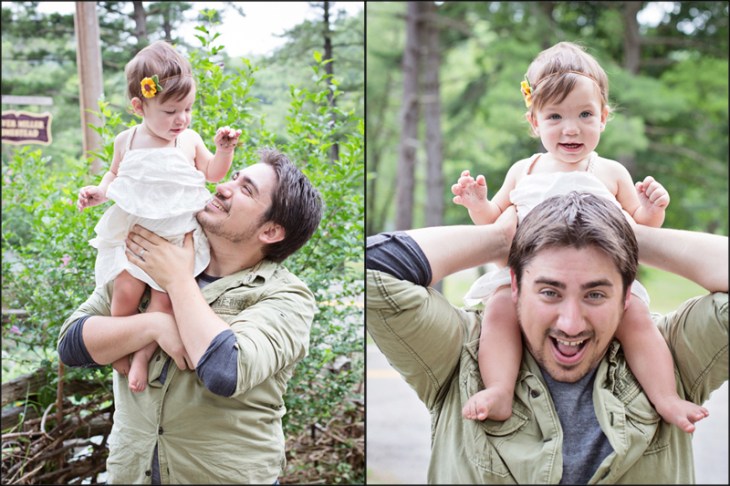
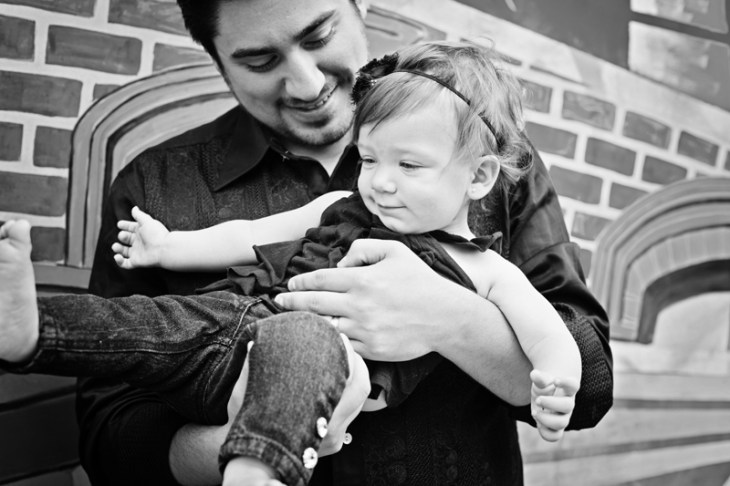
Ava, Michelle and Mike – South Park Family Photoshoot













iPad for Photographers
A few days ago I was meeting with a client in a coffee shop. When she walked in, I was sitting at a table with my iPad, answering emails. As it turned out she was an amateur photographer and we spent the first 15-20 minutes of our meeting talking about something that all photographers love – equipment. After the obligatory conversation about camera bodies and lenses, she asked me why I owned an iPad – in her opinion a tablet was barely more than a toy, completely useless in photographic workflow. I am a pretty recent iPad owner – I bought it only a few months ago as a present for my 35th birthday. I originally planned on using it to develop iOS apps – I bought a bunch of books, learned ObjectiveC and even wrote a few simple games for my daughter. However, as time went by, I began using it more and more for productivity and photography. My most used app is Evernote – that’s where I keep notes about my projects, client meetings, books I read, location scouting and pretty much everything else. Evernote, Dropbox and Google Drive (formerly Google Docs) take care of all of my productivity needs. I travel a lot for both my job and my business and ever since I bought an iPad, I rarely bring a laptop on short trips. I recently bought a slim bluetooth keyboard which essentially turns my iPad into a small netbook and allows me to type emails, documents and even work with an occasional spreadsheet a lot faster than if I were using the built-in touch keyboard. 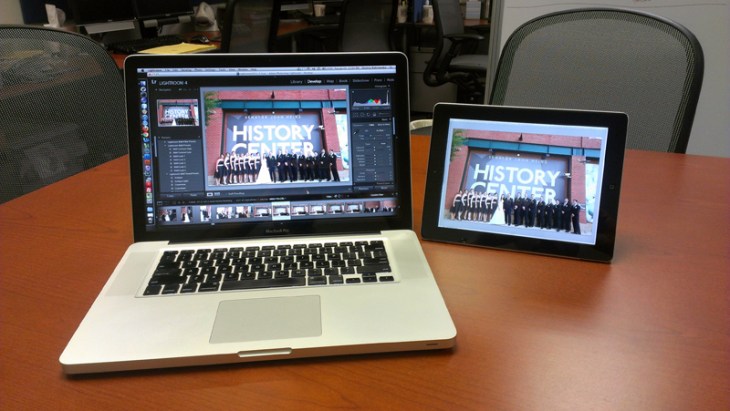 Another app that I love is called AirDisplay. Basically this app allows me to extend my laptop’s screen to the iPad. I am used to working with dual display setups – both my office and my home computers are outfitted with 24-inch + 19-inch dual displays. It is especially useful when working in Adobe Photoshop or Adobe Premier because I keep toolbars on the smaller screen giving the actual media (images or video) more real estate. When I go on trips that are longer than 2 days, I usually bring both my 15-inch MacBook Pro and my iPad. When the two are connected using AirDisplay, I can edit photos and videos on the go using the same configuration I always use. You can find a nice AirDisplay tutorial at http://www.howtogeek.com/?post_type=post&p=100886. App #3 on my most used list is SplashTop – it allows me to remotely control my computers from anywhere with internet connection. It’s really useful when I forget a file on my office desktop or when I need to run a Windows-only application remotely. Next on my list is iPhoto. Yes, I did say iPhoto. While I use Adobe Lightroom and Photoshop on my laptop and desktops, I prefer iPhoto on my iPad. In conjunction with the camera connector kit iPhoto allows me to quickly preview photos from on-location photoshoots and to give quick demos of my work to potential clients. Finally, I use my iPad for remote shooting. I won’t go into too much detail on this subject – you can read about it in excruciating detail in this tutorial. If you have any other cool uses for your iPad, please let me know – I’d love to get more mileage out of my tablet.
Ava, Michelle and Mike – Family Photoshoot Sneak Preview

Being sick, getting better, finding yourself
Last year did not begin well for me – on January 2nd I ended up in a hospital with a collapsed lung caused by misdiagnosed pneumonia. Over the course of last year I had pneumonia 5 times. The doctors had no clear idea as to what was causing persistent lung infections and after batteries of unpleasant and sometimes painful tests they would always prescribe antibiotics and steroids. Being sick sucks at the best of times, but when you have a small child at home, a full-time job, a business and graduate school… I don’t even have words to describe how much it stinks. In March of 2011 I had a pulmonary function test which showed that my lung capacity was down to 52% – I could barely walk up a flight of stairs without having to sit down and catch my breath. My wife Irina was absolutely amazing through the whole ordeal – she juggled the kids, cooking, cleaning and taking care of me. Sometime in the summer of 2011 I met an amazing Pittsburgh photographer John Craig. We met for coffee to talk about photography. Somewhere along the line John told me about his battle with illness, spending time with family, running marathons and just dealing with health issues on a level that never occurred to me before. My last bout of pneumonia happened in December of 2011. I hate coming up with New Year’s resolutions because more often than not I don’t follow through on them. However, I decided to make an exception for 2012 – inspired by John’s example I set a goal for myself to bike the Great Allegheny Passage.  In January of 2012 I started training for the bike ride – I began riding to work (an 18-mile round-trip commute) first once a week, then twice, and eventually almost every day. I started biking to the grocery store and pretty much everywhere I needed to go (without my kids). It was difficult and painful at first, but eventually I could ride up the insanely steep and windy Commercial Street without throwing up my lungs. Last week I took a few days off of work, grabbed my bike and hopped a train from Pittsburgh to Connelsville. In two days I rode about 120 miles, including getting lost and riding in the wrong direction for 10 miles. I met a lot of wonderful people on the trail – a 75-year-old couple who ride from Pittsburgh to Washington every year, a guy from upstate New York to whom I gave a paperback copy of “Zen and the Art of Motorcycle Maintenance” and a lady from Toronto who gave me a bottle of Gatorade when I ran out of water between Frostburg and Cumberland.
  I guess what I’m trying to say is that when you are sick, you tend to concentrate on your disease and forget about the world around you. Getting out of that dark spot in your mind, meeting new people, setting a goal for yourself and actually following through will help you deal with almost anything life throws at you. And most importantly, spend as much time with your family as possible – I missed a lot of moments in my daughter’s life because of work, school, illness and to me that’s far worse than being sick.
  More photos from my trip on Flickr.
Zach`s Bar Mitzvah









 Dmitriy B.
You must be logged in to post a comment.